
So many of these are related, that I decided to simply list them in no specific order: “The technology changes/improves too rapidly, and I have fears of 1) ‘will what I am doing become old-school soon’ and 2) ‘is a new/better way of doing going to be released within a few months’.” “The documentation is daunting.” “The suggested pre-requisites and structured learning programs seem to change every few months.” “I have spent considerable time and money hiring smart coders that don’t take to 4GL development as readily.” “Code generating technologies have some negative connotations when it comes to code cleanliness, … Read More
Using Oracle ADF EJB PersistObject
While demoing out some ADF faces functionality to the team, I forgot that in order to build a form to save an object to the DB using the persistObject method you should… 1. Build the ADF Parameter Form using the Object’s Constructors from the Data Control. 2. Bind a button to the persistObject data control….. drag the persistObject data control onto the page and select ADF Button. 3. On the Action Binding screen, in the value column provide #{bindings.ObjectIterator.currentRow.dataProvider} as the value for parameter or use the EL builder to find the Iterator used by the form and bind it … Read More
ADF Table Row Selection Event Update Form
One of the UI requirements in a recent ADF project was to use an ADF Read-Only Table and its built-in functionality (row selection, filtering and sorting) to allow a user to find a row, select it, then automatically have a form on the same page be updated with the data from the row selected for updating and saving. Let’s run though how to implement this… 1. Build the ADF Read-Only table by dragging the appropriate data control onto the view. Ensure you enable the appropriate ADF behaviors on the Edit Table Columns screen. Row Selection is required, but Filtering & Sorting is optional … Read More
Oracle ADF vs. Other Java Web Frameworks
To extend on an earlier blog posts by a colleague here at M&S, I’m a firm believer in using different technologies in different situations. Trying to make a technology ‘work’ when another is clearly a better choice is very often a critical mistake. Reasons why these decisions get made are numerous (familiarity with a technology, existing infrastructure, etc). With that said, my own take on ADF vs. other Java web frameworks (such as Grails) is actual a lot more black & white than I thought it would be. While ADF enables typical CRUD functionality quickly and efficiently, it’s abstraction from the … Read More
Installing JDeveloper 11g on Windows with SOA, BPM, and WebCenter Extensions – Video Walkthrough
This video walks through the JDeveloper 11g PS3 (11.1.1.4) — with integrated WebLogic Server — installation on Windows 2008 R2 64-bit. All in 3 minutes. [youtube]http://www.youtube.com/watch?v=iHPxSv835bU[/youtube] High Level Steps Download JDeveloper Run .exe Configure Installation Options Install Extension
JDeveloper 11g Patch Set 3 (PS3) 11.1.1.4.0 Download for Windows, Linux, etc.
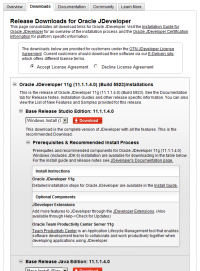
Oracle has released JDeveloper 11g Patch Set 3 (11.1.1.4.0) for all platforms as part of the wider 11g PS3 Middleware update. They have also published a page on new features for JDeveloper as well as a nice new look and feel to their download pages.
ADF Jdeveloper 11g and QTJava.zip (QuickTime) – Integrated WebLogic Server
If you are having trouble starting your integrated WebLogic Server in JDev 11g, you might have QuickTime in your CLASSPATH, which is preventing it from running properly.
Strategy to Create a Usable Multi-function Task List (ADF)
When People Interact with Executable Processes, a key business enabler is the user tools. Not all tasks or activities demand the same type of user interaction. This article describes how to identify different types of tasks to create a a Usable Multi-function Task List
- Page 1 of 2
- 1
- 2