
While demoing out some ADF faces functionality to the team, I forgot that in order to build a form to save an object to the DB using the persistObject method you should… 1. Build the ADF Parameter Form using the Object’s Constructors from the Data Control. 2. Bind a button to the persistObject data control….. drag the persistObject data control onto the page and select ADF Button. 3. On the Action Binding screen, in the value column provide #{bindings.ObjectIterator.currentRow.dataProvider} as the value for parameter or use the EL builder to find the Iterator used by the form and bind it … Read More
ADF Table Row Selection Event Update Form
One of the UI requirements in a recent ADF project was to use an ADF Read-Only Table and its built-in functionality (row selection, filtering and sorting) to allow a user to find a row, select it, then automatically have a form on the same page be updated with the data from the row selected for updating and saving. Let’s run though how to implement this… 1. Build the ADF Read-Only table by dragging the appropriate data control onto the view. Ensure you enable the appropriate ADF behaviors on the Edit Table Columns screen. Row Selection is required, but Filtering & Sorting is optional … Read More
Installing JDeveloper 11g on Windows with SOA, BPM, and WebCenter Extensions – Video Walkthrough
This video walks through the JDeveloper 11g PS3 (11.1.1.4) — with integrated WebLogic Server — installation on Windows 2008 R2 64-bit. All in 3 minutes. [youtube]http://www.youtube.com/watch?v=iHPxSv835bU[/youtube] High Level Steps Download JDeveloper Run .exe Configure Installation Options Install Extension
Middleware 11g Patch Set 3 (PS3) 11.1.1.4 = Oracle Middleware 12g? …and Where’s WebCenter?
Oracle has made some major improvements in 11g PS3 for multiple products in the Middleware offering. If they don’t consider this a major release (aka 12g), I can’t want to see what will actually be part of 12g. Exciting stuff.
[box type=”info”]We have been working with pre-release versions of WebCenter 11g PS3 for a while, so a bit disappointed that didn’t make it into the release date, but we’re hoping that will be soon to follow.[/box]
New versions of Oracle Fusion Middleware 11g R1 (11.1.1.4.x) include…
JDeveloper and BPM 11g Patch Set 3 (PS3) Released, But Hold Off Using JDeveloper (for now)
Heidi Buelow, Product Manager at Oracle for BPM Suite posted a note on the Oracle Forums over the weekend asking a member to hold off on using JDeveloper 11g PS3 with BPM. I am generally pleased with the integration, and truly appreciate the vision of using one IDE (JDeveloper) for all things Oracle. That said, it seems Oracle is unique when compared to pure-play BPM vendors where the SOA/BPM teams are different than those over development tooling like JDeveloper, so they have to work extra hard at it. Feel free to follow the forum post.
JDeveloper 11g Patch Set 3 (PS3) 11.1.1.4.0 Download for Windows, Linux, etc.
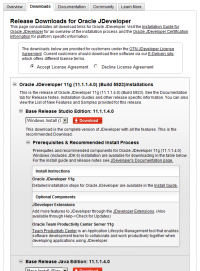
Oracle has released JDeveloper 11g Patch Set 3 (11.1.1.4.0) for all platforms as part of the wider 11g PS3 Middleware update. They have also published a page on new features for JDeveloper as well as a nice new look and feel to their download pages.
Oracle SOA 11g Download – Windows, Linux, etc.
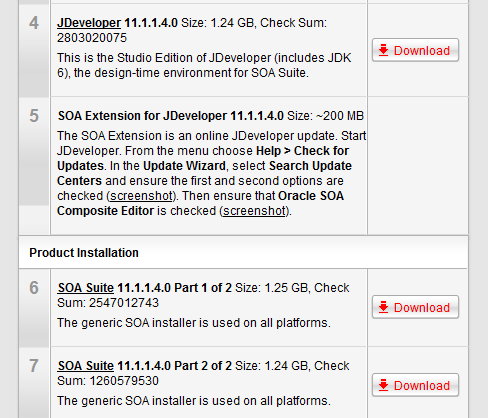
Along with other Middleware technologies, the latest SOA 11g version (11.1.1.4) — something we have simply been calling PatchSet 3 or PS3 — has been released and is now available for download from the Oracle website.
ADF Jdeveloper 11g and QTJava.zip (QuickTime) – Integrated WebLogic Server
If you are having trouble starting your integrated WebLogic Server in JDev 11g, you might have QuickTime in your CLASSPATH, which is preventing it from running properly.
- Page 1 of 2
- 1
- 2